
The report
The report is a small website built from your results. It has three pages: the Overview of one agent and model, Model comparison, and a page for each result.
Build it and open it
Section titled “Build it and open it”uv run honest-agent report # writes the report to honest_agent_report/uv run honest-agent serve # opens it in your browser (Ctrl+C to stop)reportincludes the results from the 30 days before your latest run. To go further back, pass any number of days with--days, e.g.--days 90or--days 365. Results outside the window stay in the results store; they’re just left out of the report.servepublishes the report athttp://127.0.0.1:8000/and opens your browser.--portpicks another port, and--no-open-browserskips opening it.--out <folder>writes or serves another folder.reportonly writes into a new or empty folder, or one it wrote before, because it clears the old files there.
The report folder is a static website: it works on any static host. To share it with your team, see Running it for a team.
How scores are shown
Section titled “How scores are shown”Every score is from 0% to 100%, and coloured by how close it is to right:
| Colour | Score |
|---|---|
| Green | 95% or more |
| Yellow | 75% to 95% |
| Orange | 40% to 75% |
| Red | below 40% |
The Combined score is the average of accuracy and provenance. For an eval whose provenance isn’t checked, it’s the accuracy alone.
A colour is about the score, not the threshold: an eval passes or fails by its own
min_score values. “Passed thresholds” and “Below threshold” count those.
Overview
Section titled “Overview”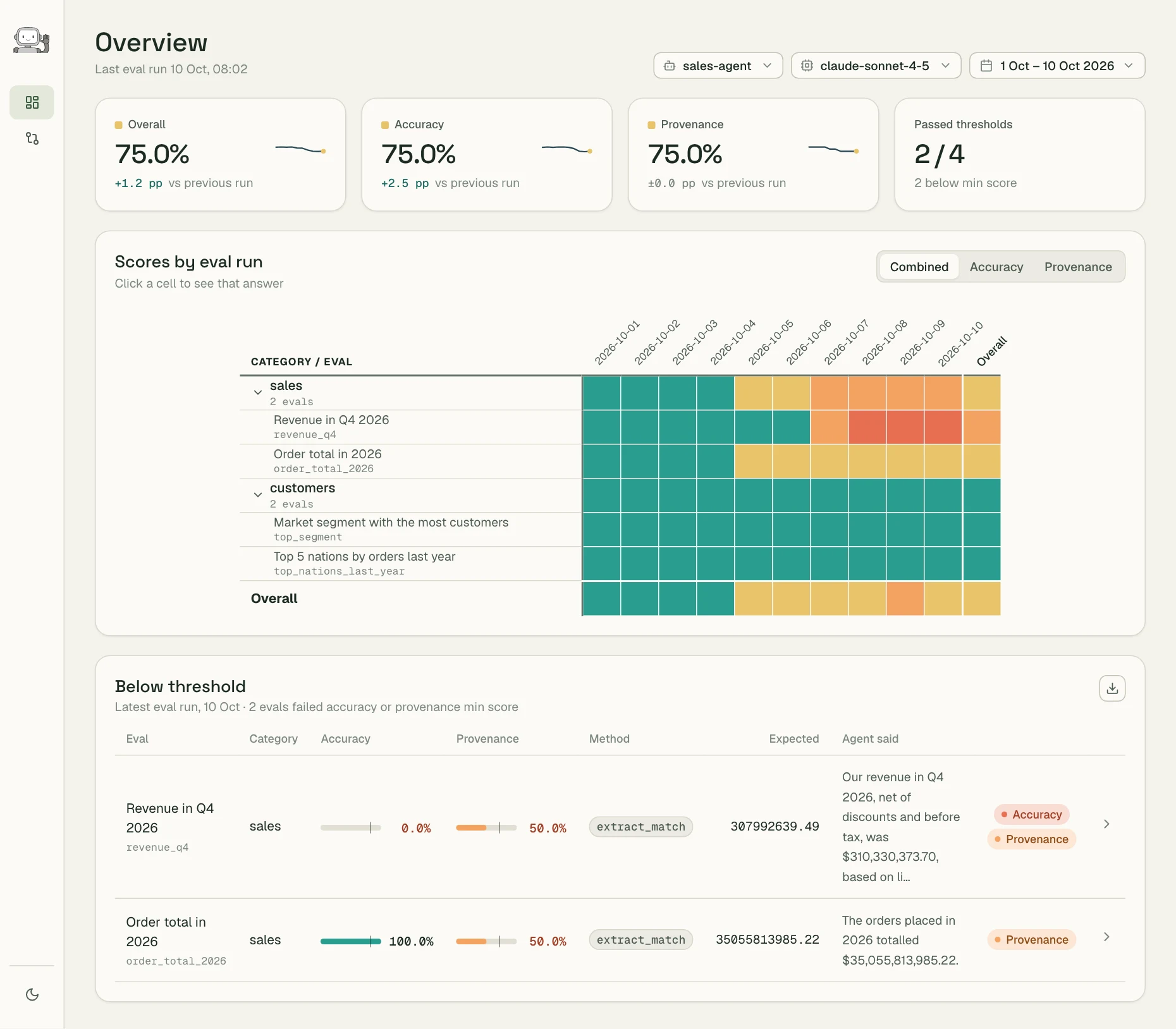
The Overview shows one agent and one model. Pick them, and the dates, at the top right.
- The cards show the latest run’s combined, accuracy and provenance scores, each with the change since the previous run and a small trend, and how many evals passed their thresholds.
- Scores by eval run has one row per eval, grouped by category, and one column per run. Switch between Combined, Accuracy and Provenance at the top right. Click a cell to open that result.
- Below threshold lists the latest run’s failing evals: their scores, what was expected and what the agent said, and which check failed. Export it as CSV with the button at the top right.
Model comparison
Section titled “Model comparison”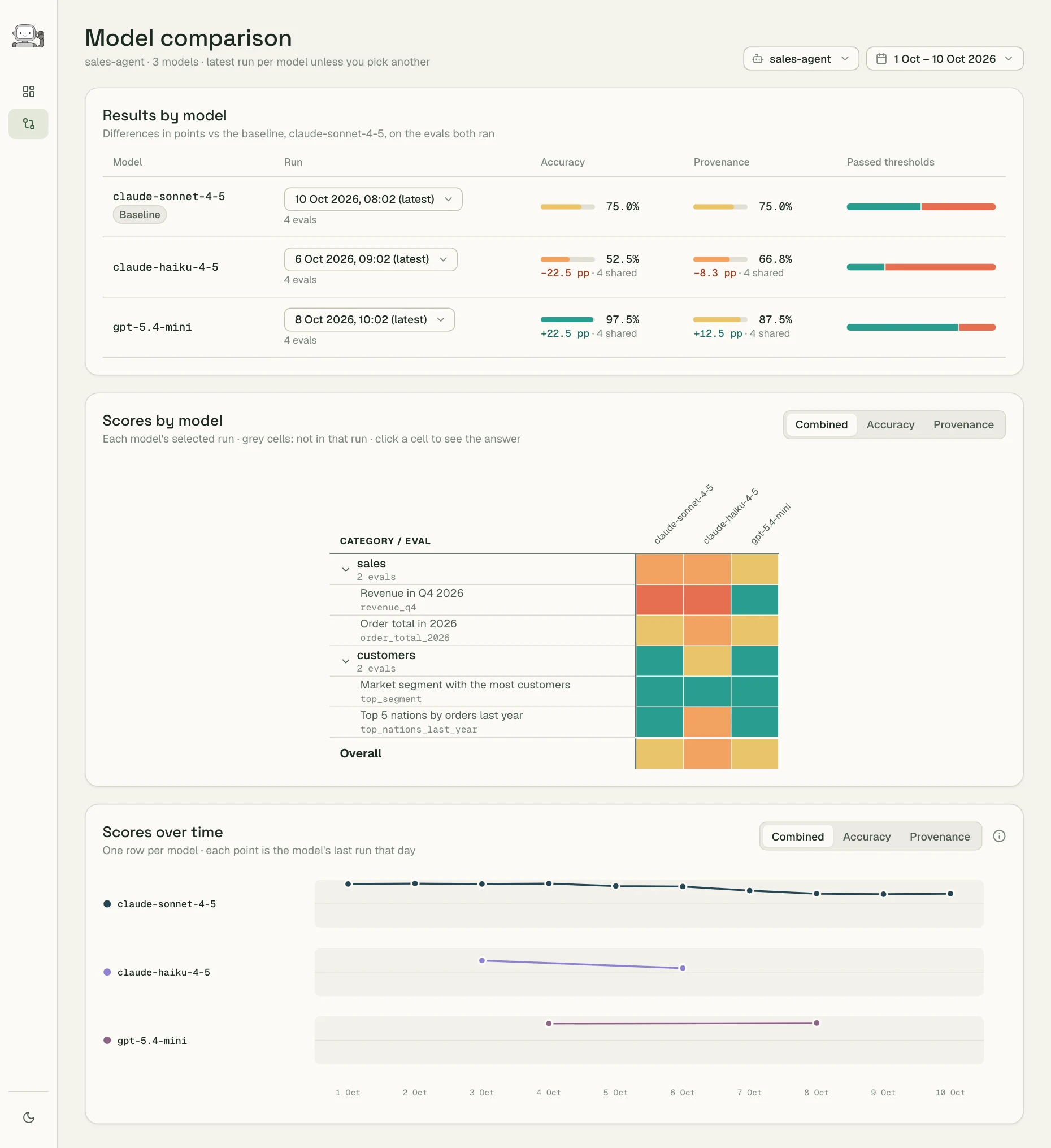
Model comparison shows how different models do as the same agent. The baseline is the model of the agent’s most recent run; the others show their difference from it, in percentage points, on the evals both ran.
- Results by model shows each model’s latest run in the date range. Pick another run from its menu.
- Scores by model has one column per model. Grey cells are evals that weren’t in that model’s run.
- Scores over time has one row per model, with a point for its last run each day.
To compare models, run the same evals with each one:
honest-agent run --model gpt-5.4-mini. Keep the same --grading-model for every run, so
the grading is the same and the comparison is fair.
A result
Section titled “A result”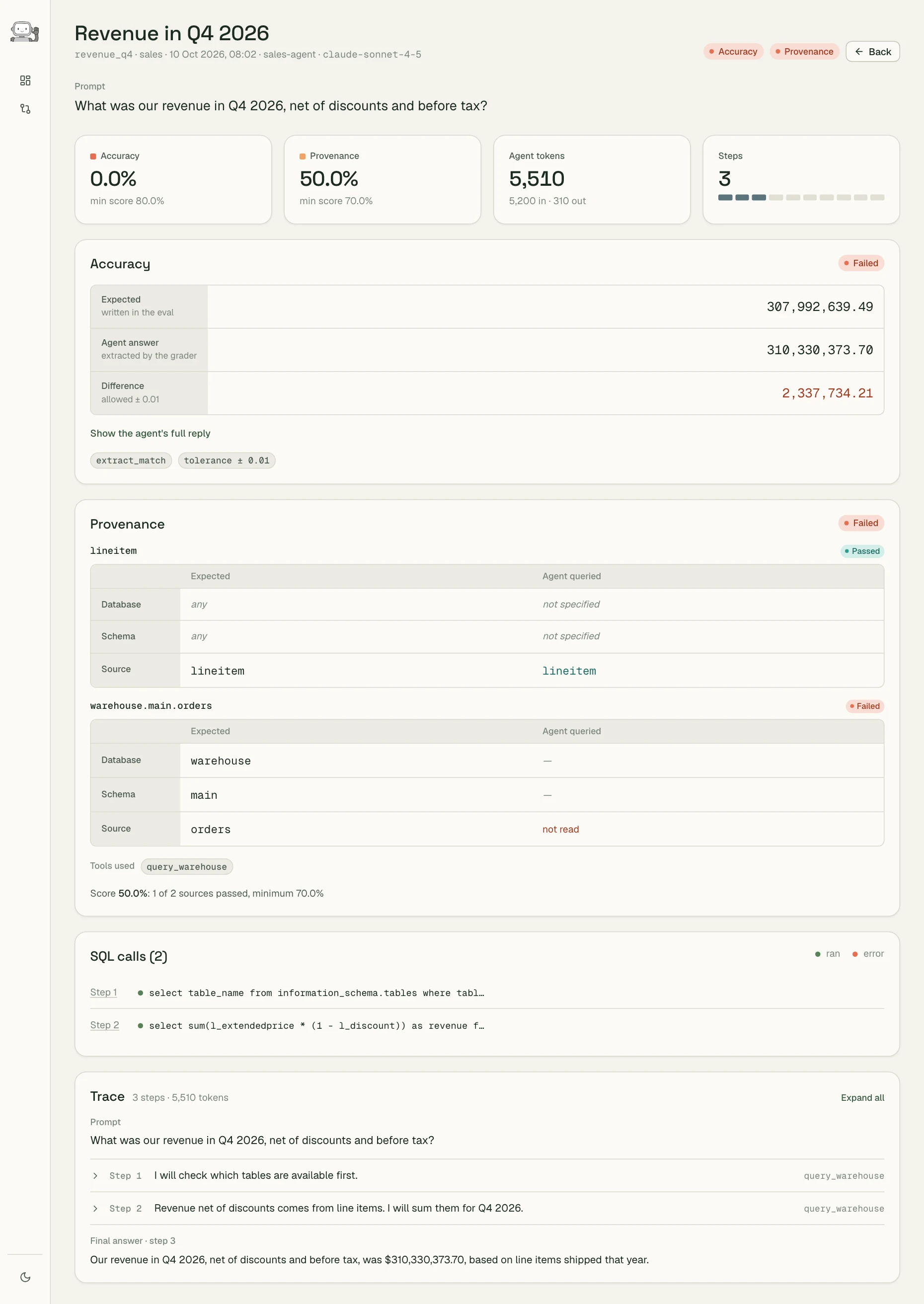
A result page shows why an eval passed or failed in a run: what the agent answered, how that answer was graded, which tables it read, and the steps it took to get there.
- The cards: accuracy and provenance against their thresholds, the tokens the agent used, and how many steps it took out of the limit.
- Accuracy: what was expected and what the agent answered. For
extract_match, the value the grader pulled out and the difference, against the tolerance; forllm_judge, the judge’s score (under the answer) and its reason. “Show the agent’s full reply” shows the whole answer. - Provenance: each expected source, with the database, schema and table the agent read, or “not read”.
- SQL calls: every query the agent sent, in order, and whether it ran or failed.
- Trace: the agent’s steps, from the prompt to the final answer. Expand a step to see the tool call, what it returned, and its tokens and time.
- Grading: what the grading model did, for
extract_matchandllm_judge. “› Reply” opens its full reply, as it came back. Below it: how many tokens it spent thinking, its tokens and time, and how it stopped. A reply cut off at its token limit shows “Not graded” and “reached the token limit”.containscalls no model, so the card says so.
For the raw records of every call, use
honest-agent logs.